• [Windows 11 pro 24H2 26100.4946 버전 기준으로 작성되었습니다!]
• Hyper-V는 Windows Pro 및 Enterprise 버전만 지원함, Home 버전은 미지원함.
- [시작]메뉴에서 Windows 기능 켜기/끄기 검색 후 실행
-
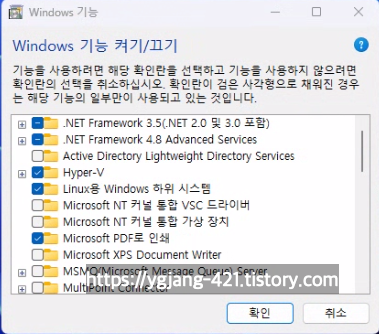
Hyper-V를 찾아 체크
[Image: Hyper-V feature selection in Windows Features]
-
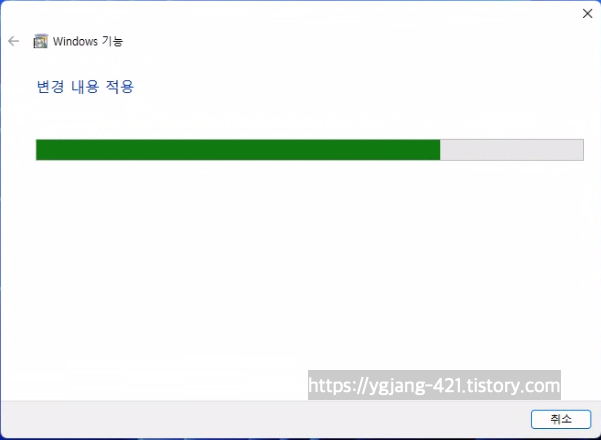
[확인]버튼을 클릭
[Image: Confirming the changes]
- PC 다시 시작
-
설치 완료
[Image: Hyper-V installation completed]
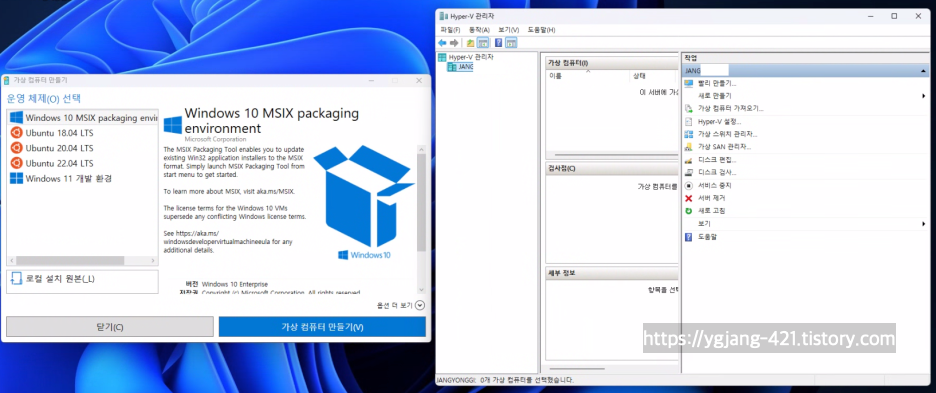
- 기본적으로는 Windows 10 MSIX packaging environment, Ubuntu 18.04 LTS, Ubuntu 20.04 LTS, Ubuntu 22.04 LTS, Windows 11 개발 환경을 기본 제공하고 있음.